vSphere 5.1 Release Date leaked, maybe?

Looks like Sammy Bogaert over at Boerlowie’s Blog has possibly found the release date of vSphere 5.1… maybe?

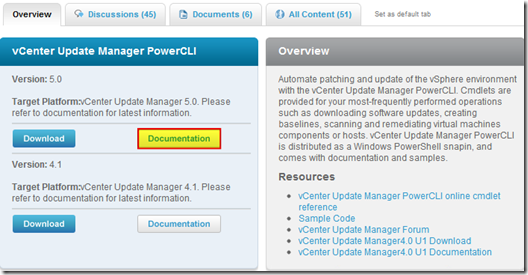
I was about to download vSphere Update Manager PowerCLI 5.0.

I followed the main site and wanted to check the documentation first. So I clicked the Documentation button.

vmware update manager

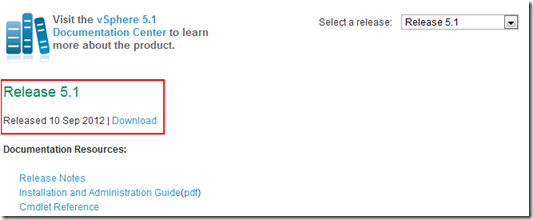
This lead me to the Docs of Update Manager PowerCLI 5.1! That’s right, 5.1! With a release date of 10 September 2012.

vsphere5.1 release date

None of the links for 5.1 work, so no news on any new features…

Guess somebody at VMware was a bit too fast to update the website
Nice find Sammy, guess time will tell if the Sept. 10th date is the actual release date or not.
Similar Posts

  • VMware View client now availabe for Android!

    VMware has announced that they have released a View Client for Android tablets available on the Android Market now. Here are just a few of the features found on the new client.

    • A new look and feel – The View Client for Android features the NEW blue look and feel of the VMware View clients!
    • Multiple broker support – If you have more than one VMware View broker in your organization, you can can easily access your desktop from all of them via the Android client
    • Desktop Shortcuts – Quickly connect with as many as four recent desktop via shortcuts
    • Virtual trackpad – Control your desktop on a granular level just like you would control the mouse on a laptop
    • Custom keyboard toolbar – Super easy access to all of the special keys not found on the Android default keynboard
    • Honeycomb 3.x support – Made from the ground up for the new generation of Android tablets
    • Custom gestures – Invoke keyboard, scrolling, etc are as easy as ever and simple to use
    • VMware View Security Server support (best experience) – No need to have VPN when you use VMware View Security Server
    • Background tasking – Switch between apps on your tablet and come right back
  • How to convert VMDK to OVF file format

    Here is a quick and easy way to convert a VMDK to OVF file format using the OVF Tool from VMware.

    1. First download and install the VMware OVF Tool for your operating system.
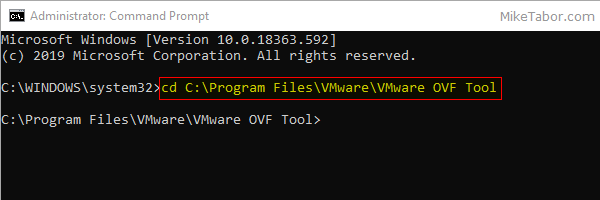
    2. Open a command prompt as Administrator and navigate to the OVF Tool install directory:
      
      cd C:\Program Files\VMware\VMware OVF Tool
      

      vmdk to ovf command prompt

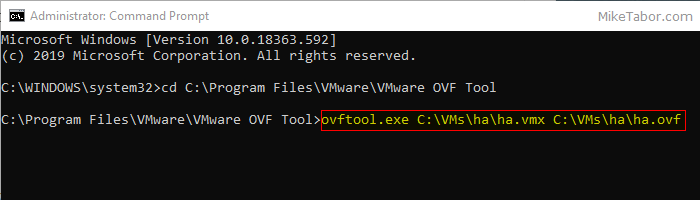
    3. Next, type in the following command to convert VMDK to OVF:
      
      ovftool.exe \virtualmachine.vmx \virtualmachine.ovf
      

      convert vmdk to ovf command

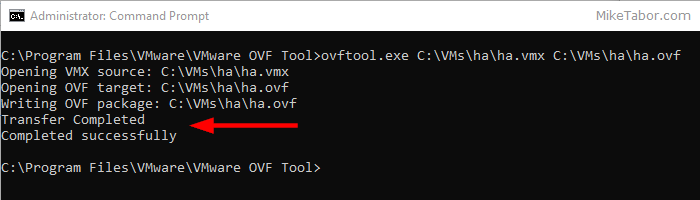
    After a few minutes time you should you should see a “Transfer Completed, Completed successfully” message and your VMDK to OVF file conversion is complete and ready for use.
    convert vmdk to ovf complete

  • VMware VCP5-DCV Delta Re-certification Exam

    VMware VCP DCV

    Looking to renew your VCP before the March 10th 2015 expiration date? Then the new VMware VCP5-DCV Delta (Exam Code VCP550D) is a cheaper way to renew your VCP without taking the full on exam or not just ready to tackle the VCAP. The new exam covers new material between the vSphere 5.0/5.1 and vSphere 5.5 exams – looking the the blueprints, most noticeably VSAN.

    While you still have to schedule the exam through Pearson VUE, you don’t have to take the course at a testing center and instead can take it online from any device!

    Read More “VMware VCP5-DCV Delta Re-certification Exam”

  • How to install VMware vSphere Update Manager 5.5

    If you don’t already know, VMware Update Manager (aka, VUM) is a tool which allows you to easily automate patching and upgrading VMware hosts as well as virtual machine hardware and VMware tools. It’s a wonderful tool and makes upgrading and patching so much easier and allows you to quickly see how compliant/up-to-date your environment is with the built in pie graph.

    Recently we had some pretty serious array issues which corrupted the VUM database taking Update Manager down. Since we was going to have to rebuild Update Manager I opted to move from Windows Server 2008 to Windows Server 2012, in the steps below I’ll document step by step how to install VMware Update Manager 5.5 on Server 2012 and a separate database.

    Read More “How to install VMware vSphere Update Manager 5.5”

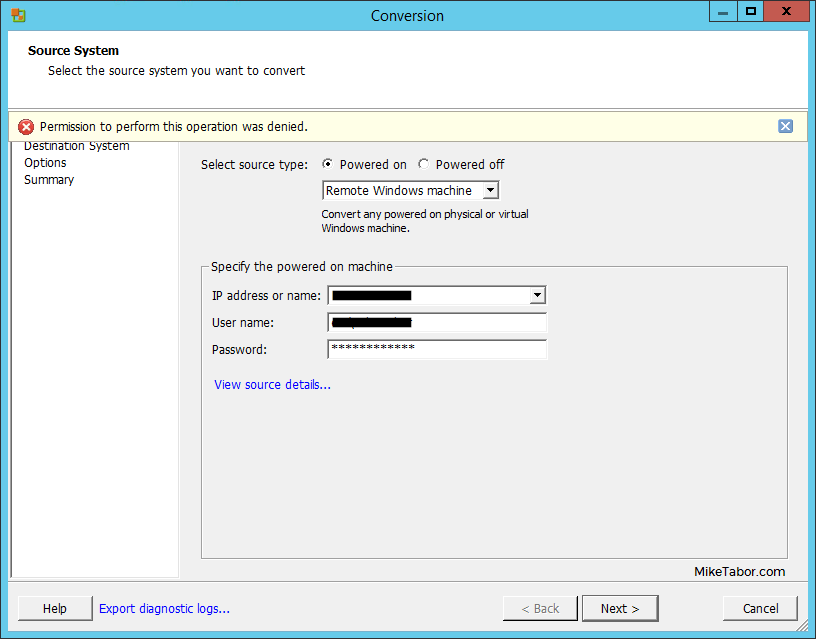
  • VMware P2V Permission to perform this operation was denied fix

    Just the other day we had a Windows Server 2008 R2 Standard physical server that needed to be P2V’ed, and after trying to use VMware Converter Standalone 6.1.1 we ran into the error message “Permission to perform this operation was denied” after entering the source machine details.

    vmware p2v permission denied

    Even after trying to start VMware Converter as “Run as administrator” the error persisted. Below is the workaround we performed to quickly allow us to P2V the physical server.

    Read More “VMware P2V Permission to perform this operation was denied fix”

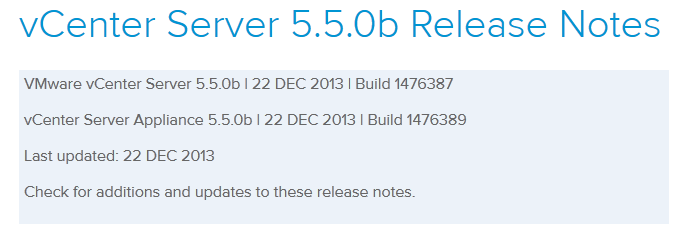
  • VMware vCenter Server 5.5b released

    vmware vcenter 5.5b released

    VMware hasn’t let the holidays get in their way and has released vCenter Server 5.5b (Build 1476387) along with vCenter Server Appliance 5.5.0b (Build 1476389). The update includes a number of fixes.

    Resolved Issues in 5.5.0b

    Upgrade and Installation

    • Upgrading the vSphere Web Client to vSphere 5.5 fails with an error
      Attempts to upgrade the vSphere Web Client to vSphere 5.5 fails when they are installed in a custom, non-default location. An error message similar to the following is displayed:

      Error 29107. The service or solution user already registered...

    Read More “VMware vCenter Server 5.5b released”

Leave a Reply

Your email address will not be published. Required fields are marked *