Download VMware vCenter & ESXi 6.0 Update 2

VMware has released vCenter Server 6.0 Update 2 and ESXi 6.0 Update 2 (build: 3620759) which include a number of new features and fixes. VMware has also released the much anticipate VSAN 6.2 which includes it’s own bunch of new features such as deduplication, compression, QoS, and RAID5/RAID6 Erasure coding.

vCenter Server 6.0 Update 2 Features

  • 2-factor authentication for the vSphere Web Client using RSA SecurID and Smart card authentication.
  • Support to change vSphere ESX Agent Manager logging level providing support to dynamic increase or decrease of vSphere ESX Agent Manager (EAM) logging levels without restarting EAM.
  • vSphere Web Client support in Windows 10.
  • Expanded vCenter Server database support to now allow the use of Microsoft SQL Server 2012 Service Pack 3 and Microsoft SQL Server 2014 Service Pack 1 as external database sources.

ESXi 6.0 Update 2 Features

  • High speed ethernet link support for 25G and 50G links speeds!
  • VMware Host Client is now supported and comes pre-installed with ESXi 6 U2.
  • vSphere APIs for I/O Filtering (VAIO) Enhancement, ESXi 6.0 U2 now supports the IO Filter VASA Provider in a pure IPv6 environment and VMIOF versions 1.0 and 1.1.

In addition to the new features of vCenter and ESXi 6.0 Update 2 there are a large number of resolved issues and security patches in this release – including the critical glibc vulnerability. Check out the complete list if fixes in the release notes below.
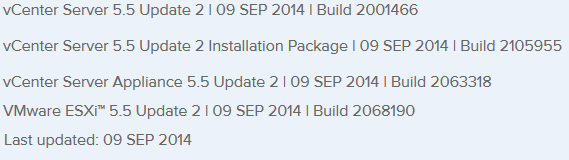
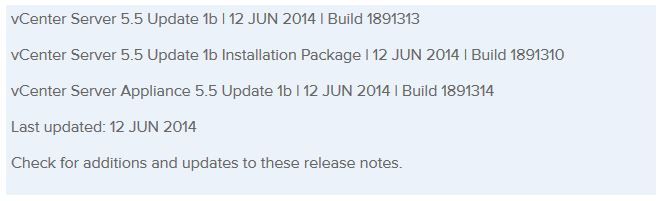
VMware 6.0 Update 2 Release Notes

Similar Posts

  • How to install VMware vSphere Update Manager 5.5

    If you don’t already know, VMware Update Manager (aka, VUM) is a tool which allows you to easily automate patching and upgrading VMware hosts as well as virtual machine hardware and VMware tools. It’s a wonderful tool and makes upgrading and patching so much easier and allows you to quickly see how compliant/up-to-date your environment is with the built in pie graph.

    Recently we had some pretty serious array issues which corrupted the VUM database taking Update Manager down. Since we was going to have to rebuild Update Manager I opted to move from Windows Server 2008 to Windows Server 2012, in the steps below I’ll document step by step how to install VMware Update Manager 5.5 on Server 2012 and a separate database.

    Read More “How to install VMware vSphere Update Manager 5.5”

  • VMUG EVALExperience, the new VMware VMTN

    VMUG EVALExperience

    Long ago VMware offered a program called VMware Technology Network (VMTN) which was very similar to Microsoft’s TechNet, which allowed you to download and run various VMware software within your home lab for a small yearly fee. Just like the Microsoft TechNet, the VMware VMTN program was eventually closed. From the time the VMTN program closed many people have begged and pleaded with VMware to bring the program back, there is even a long forum thread asking VMware to bring VMTN back. Though it never did… until now.

    Read More “VMUG EVALExperience, the new VMware VMTN”

  • vSphere 5.1 Release Date leaked, maybe?

    Looks like Sammy Bogaert over at Boerlowie’s Blog has possibly found the release date of vSphere 5.1… maybe?

    I was about to download vSphere Update Manager PowerCLI 5.0.

    I followed the main site and wanted to check the documentation first. So I clicked the Documentation button.

    vmware update manager

    This lead me to the Docs of Update Manager PowerCLI 5.1! That’s right, 5.1! With a release date of 10 September 2012.

    vsphere5.1 release date

    None of the links for 5.1 work, so no news on any new features…

    Guess somebody at VMware was a bit too fast to update the website

    Nice find Sammy, guess time will tell if the Sept. 10th date is the actual release date or not.

  • VMware Workstation updated to 9.0.2

    VMware is released a maintenance update for VMware Workstation to version 9.0.2. The update is available for free for all VMware Workstation 9.x customers.

    Mostly just bug fixes and a few improvements, here are a few highlights:

    • Fedora 18 supported as a guest operating system
    • Windows 8 host permissions issues fixed
    • VMware Tool updated to support the latest Linux kernels
    • Improved general host resource management
    • OVF Tool has been updated to version 3.0.2
    • Virtual machine sharing improvements
    • Memory leak which impacted Windows hosts has been fixed

    Read More “VMware Workstation updated to 9.0.2”

  • VMware vSphere 7 announced

    VMware vSphere 7

    Some pretty big news coming out of VMware today. The announcement of VMware vSphere 7 to become available May 1, 2020! One of the biggest item coming out of this news so far is that vSphere 7 will come in two options.

    The first being vSphere 7 as we all have known it to be for years and then the second being vSphere 7 with Kubernetes which will be available through VMware Cloud Foundation and is a new generation of vSphere for containerized applications.

    Other notables is that the flash based vSphere client is FINALLY no more! From here on out, only the HTML 5 will exist. vCenter Server on Windows will also finally be put to rest and new deployments of vCenter server will be done using the tried and tested vCenter Server Appliance (VCSA) based on PhotonOS linux.

    Read More “VMware vSphere 7 announced”

  • Upgrade ESXi host to ESXi 5.5 using VMware Update Manager 5.5

    A while back I wrote about how to upgrade to ESXi 5.5 via command line which works great when you only have a few hosts as each host has to download the ISO from the web each time. This time I’ll show you step by step how to upgrade your ESXi 5.1 host to ESXi 5.5 using VMware Update Manager 5.5 (aka VUM).

    For this post I’m going to assume you have already upgraded your vCenter and VUM to versions 5.5 as well as the VUM plugin installed. So lets begin!

    Upgrade ESXi host to 5.5 using VMware Update Manager (VUM)

    1. Open the vSphere client and click on Update Manager
      VMware Update Manager icon

    Read More “Upgrade ESXi host to ESXi 5.5 using VMware Update Manager 5.5”

Leave a Reply

Your email address will not be published. Required fields are marked *