VMware VCP exam coupons, save 50%!

VMware

Current VCPs save 25% off any VCP exam

All current VMware Certified Professionals can save 25% on exams taken before January 1st, 2015 on the following VCP exams:

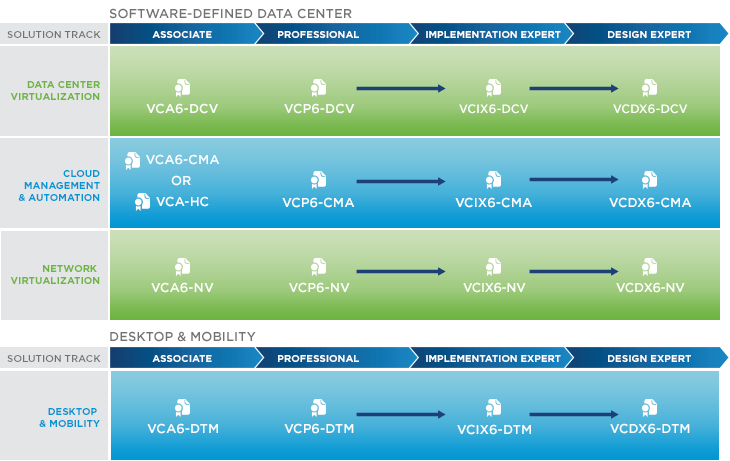
VMware Certified Professional 5 – Data Center Virtualization

  • Exam Code: VCP550
  • Exam Code: VCP510

VMware Certified Professional 5 – Desktop

  • Exam code: VCP510-DT
  • Exam code: VCPD510

VMware Certified Professional – Cloud

  • Exam Code: VCPC550
  • Exam Code: VCPC510
  • Exam Code: VCPVCD510

VMware Certified Professional – Network Virtualization

  • Exam Code: VCPN610

To save 25% on your exam simply enter discount code VCPRECERT25 when you complete your registration and check out on the PearsonVue site.

If by chance you fail the test the first time, the discount code can be used a second time on your retake so long as the exam is taken before Jan. 1st, 2015.

Receive a 50% off VCP exam voucher when you attend NSX training

VMware NSX is the network virtualization and security platform for the software-defined data center. NSX brings virtualization to your existing network and transforms network operations and economics.

You must complete the NSX: Install, Configure, Manage [V6.0] or NSX Fast Track for Internetworking Experts no later than December 19 to be eligible for the VCP 50% discount code. Once received, the 50% off certification voucher is valid until June 20, 2015!

Other VMware Education Coupons

VMware also has other education discounts for many other exams, practice tests, and other training courses.

  • Bundle and save 20% on certification exam practice tests
  • Save 30% on Last Minute Seats in our Most Popular Courses
  • Save 50% on BETA Training Courses
  • Bundle and save 15% on Key Exam Prep Resources

For more information about any of the above coupons and vouchers be sure to visit the VMware Special Offers page.

Not yet ready to take the VCP exam? I’d highly recommend checking out PluralSight. They have a number of VCP training videos that helped me pass as well!
Similar Posts

  • VMware Site Recovery Manager 8.2 – No more Windows

    VMware has just announced the release of Site Recovery Manager 8.2. There are a number of new items in SRM 8.2, such as enhancements to the HTML5 user interface, support for vSphere 6.7 Update 2, but most notably is Site Recovery Manager 8.2 virtual appliance!

    No more Microsoft Windows license needed! The SRM 8.2 virtual appliance runs on the Photon OS distro, which is similar to what the vCenter virtual appliance has been running on for years now.

    Read More “VMware Site Recovery Manager 8.2 – No more Windows”

  • VMware View client now availabe for Android!

    VMware has announced that they have released a View Client for Android tablets available on the Android Market now. Here are just a few of the features found on the new client.

    • A new look and feel – The View Client for Android features the NEW blue look and feel of the VMware View clients!
    • Multiple broker support – If you have more than one VMware View broker in your organization, you can can easily access your desktop from all of them via the Android client
    • Desktop Shortcuts – Quickly connect with as many as four recent desktop via shortcuts
    • Virtual trackpad – Control your desktop on a granular level just like you would control the mouse on a laptop
    • Custom keyboard toolbar – Super easy access to all of the special keys not found on the Android default keynboard
    • Honeycomb 3.x support – Made from the ground up for the new generation of Android tablets
    • Custom gestures – Invoke keyboard, scrolling, etc are as easy as ever and simple to use
    • VMware View Security Server support (best experience) – No need to have VPN when you use VMware View Security Server
    • Background tasking – Switch between apps on your tablet and come right back
  • VMware vCenter Server 5.5.0a update released

    VMware has released an update to vCenter 5.5 Server. The new updated, numbered 5.5.0a doesn’t appear to add any new features but instead focus on squishing a number of bugs in the 5.5 version – mostly around vCenter Single-Sign-On and the vSphere web client.

    Issues resolved with this release are as follows:

    1. Attempts to upgrade vCenter Single Sign-On (SSO) 5.1 Update 1 to version 5.5 might fail with error code 1603
    2. Attempts to log in to the vCenter Server might be unsuccessful after you upgrade from vCenter Server 5.1 to 5.5
    3. Unable to change the vCenter SSO administrator password on Windows in the vSphere Web Client after you upgrade to vCenter Server 5.5 or VCSA 5.5
    4. VPXD service might fail due to MS SQL database deadlock for the issues with VPXD queries that run on VPX_EVENT and VPX_EVENT_ARG tables

    Read More “VMware vCenter Server 5.5.0a update released”

  • Fixing, This host currently has no management network redundancy

    host no management network redundancy

    I recently redid my VMware home lab environment and after enabling HA the warning message “This host currently has no management network redundancy” started displaying on each of my ESXi hosts.

    This warning happens because in a HA cluster there is a requirement for the management network to have redundant NICs, but in my case I’m using Intel NUCs which only have a single NIC and since this is only a lab I don’t care to see the warning so lets disable it.

    Read More “Fixing, This host currently has no management network redundancy”

  • VMware ESXi 6.0 CBT bug fix released

    VMware

    You may remember ESXi 4.x-5.x had a CBT bug, as mentioned here, that could potentially cause your backups to be pretty useless. Well it seems ESXi 6.0 isn’t without it’s own CBT bug which could cause the following to possibly occur:

    • Backing up a VM with CBT enabled fails.
    • Powering on virtual machines fails.
    • Expanding the size of a virtual disk fails.
    • Taking VM quiesced snapshots fails.

    Prior to the fix, the workaround was to disable CBT. Thankfully VMware has released a fix for the ESXi 6.0 CBT bug and it’s recommended that anyone who uses CBT apply this patch regardless if it was a clean install of VMware ESXi 6.0 or an upgrade to ESXi 6.0.

    Read More “VMware ESXi 6.0 CBT bug fix released”

Leave a Reply

Your email address will not be published. Required fields are marked *

2 Comments