VMware vCenter Server 5.5.0a update released

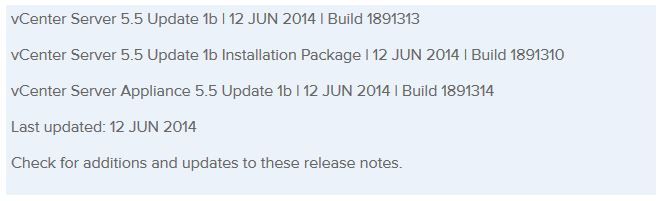
VMware has released an update to vCenter 5.5 Server. The new updated, numbered 5.5.0a doesn’t appear to add any new features but instead focus on squishing a number of bugs in the 5.5 version – mostly around vCenter Single-Sign-On and the vSphere web client.

Issues resolved with this release are as follows:

  1. Attempts to upgrade vCenter Single Sign-On (SSO) 5.1 Update 1 to version 5.5 might fail with error code 1603
  2. Attempts to log in to the vCenter Server might be unsuccessful after you upgrade from vCenter Server 5.1 to 5.5
  3. Unable to change the vCenter SSO administrator password on Windows in the vSphere Web Client after you upgrade to vCenter Server 5.5 or VCSA 5.5
  4. VPXD service might fail due to MS SQL database deadlock for the issues with VPXD queries that run on VPX_EVENT and VPX_EVENT_ARG tables

  1. Attempts to search the inventory in vCenter Server using vSphere Web Client with proper permissions might fail to return any results
  2. vCenter Server 5.5 might fail to start after a vCenter Single Sign-On Server reboot
  3. Unable to log in to vCenter Server Appliance 5.5 using domain credentials in vSphere Web Client with proper permission when the authenticated user is associated with a group name containing parentheses
  4. Active Directory group users unable to log in to the vCenter Inventory Service 5.5 with vCenter Single Sign-On
  5. Attempts to log in to vCenter Single Sign-On and vCenter Server might fail when there are multiple users with the same common name in the OpenLDAP directory service
  6. Attempts to log in to vCenter Single Sign-On and vCenter Server might fail for OpenLDAP 2.4 directory service users who have attributes with multiple values attached to their account
  7. Attempts to Log in to vCenter Server might fail for an OpenLDAP user whose account is not configured with a universally unique identifier (UUID)
  8. Unable to add an Open LDAP provider as an identity source if the Base DN does not contain an “dc=” attribute
  9. Active Directory authentication fails when vCenter Single Sign-On 5.5 runs on Windows Server 2012 and the AD Domain Controller is also on Windows Server 2012

The full release notes can be found here and the download is available now from VMware.
Similar Posts

  • Thank you VMware Community!

    VMware vExpert 2014

    So far, 2014 has been a very rewarding year for a number of reasons, two of which has happened in just a week or two span. First, Eric Siebert (@ericsiebert) announced on March 27th, this years results of the 2014 Top VMware & Virtualization Blog voting. My first year entered into voting and made it to 71st place! A huge thanks goes out to not only Eric but just as much so to everyone who voted for me!

    To top it off, yesterday VMware announced 2014’s first quarter VMware vExpert list. While vExpert isn’t a technical certification or even a general measure of VMware expertise. The VMware judges selected people who were engaged with their community and who had developed a substantial personal platform of influence in those communities. There were a lot of very smart, very accomplished people, even VCDXs, that weren’t named as vExpert this year. VMware awarded this title to 754 people this year and on that list of many impressive names you’ll find yours truly, Michael Tabor!

    I’m both honored and humbled by both lists. It’s a great feeling to be recognized by not only my peers through the voting in the Top vBlog but also by VMware themselves through the vExpert title.

    So again THANK YOU very much to the entire VMware community, a spectacular community indeed, and congratulations to everyone else that made the Top vBlog and vExpert lists!

  • How to fix vRealize Orchestrator 6 appliance, weak ephemeral Diffie-Hellman key

    vrealize orchestrator chrome error

    I’ve recently deployed the vRealize Orchestrator appliance (6.0.2) and noticed right away that my default browser Firefox, would not load the Orchestrator appliance web panel. Firefox always complained about a weak Diffie-Hellman key.

    An error occurred during a connection to ip-address:8281. SSL received a weak ephemeral Diffie-Hellman key in Server Key Exchange handshake message. (Error code: ssl_error_weak_server_ephemeral_dh_key)

    At the time I simply ignored it and just tried Google Chrome which it worked fine. That was until the latest release also broke with the same type of error message:

    Server has a weak ephemeral Diffie-Hellman public key“.

    I now had a problem and contacted VMware support, below is the very easy fix to make vCO 6 work in both the latest version of Firefox and Chrome!

    Read More “How to fix vRealize Orchestrator 6 appliance, weak ephemeral Diffie-Hellman key”

  • vSphere 5.1 and View 5.1 are finally compatible

    As mentioned before, I mentioned vSphere 5.1 currently not compatible with any VMware View version. As of yesterday, VMware has finally released a patch (ESXi510-201210001) to correct the incompatibility issues.

    Alternatively you can also download an updated ESXi 5.0 ISO. To download the ISO:

    1. Navigate to the vSphere Download Center.
    2. Click View Download for the VMware ESXi 5.1.0 Installable for your version of ESXi.
    3. On the Product Downloads tab, download VMware-VMvisor-Installer-201210001-838463.x86_64.iso.

    KB 2035268

  • VMware VCP5-DCV Delta Re-certification Exam

    VMware VCP DCV

    Looking to renew your VCP before the March 10th 2015 expiration date? Then the new VMware VCP5-DCV Delta (Exam Code VCP550D) is a cheaper way to renew your VCP without taking the full on exam or not just ready to tackle the VCAP. The new exam covers new material between the vSphere 5.0/5.1 and vSphere 5.5 exams – looking the the blueprints, most noticeably VSAN.

    While you still have to schedule the exam through Pearson VUE, you don’t have to take the course at a testing center and instead can take it online from any device!

    Read More “VMware VCP5-DCV Delta Re-certification Exam”

  • How to change vCenter Operations Manager session timeout

    I’ve been using vCenter Operations Manager for a while now at work for all the great information that can be found about our environment so I tend to log into vCOp at the start of the morning and then come back to as I may or may not need it thoughout the day. One thing that has kind of annoyed me is having to constantly log into the standard UI multiple times a day due to the default 30 minute timeout value.

    Luckily, with a bit of SSH and a few commands we can increase this timeout to anything we like or even disable it all together!

    Read More “How to change vCenter Operations Manager session timeout”

  • Power off an unresponsive VM using ESXTOP

    Just recently we have some hardware issues in our primary datacenter and during that time had a few VM’s that became unresponsive and needed to get them back online. The VM’s had stopped responding to the normal vSphere commands to reboot, shutdown or even restart. I didn’t want to power cycle the entire ESXi host and instead just power off an unresponsive VM.

    Here is a quick and easy way to do just that using ESXTOP.

    Read More “Power off an unresponsive VM using ESXTOP”

Leave a Reply

Your email address will not be published. Required fields are marked *