Crucial 16GB memory, perfect for Intel NUC
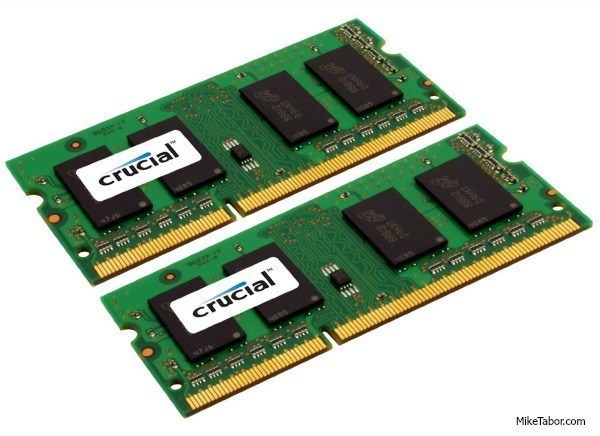
crucial 16gb 204pin memory

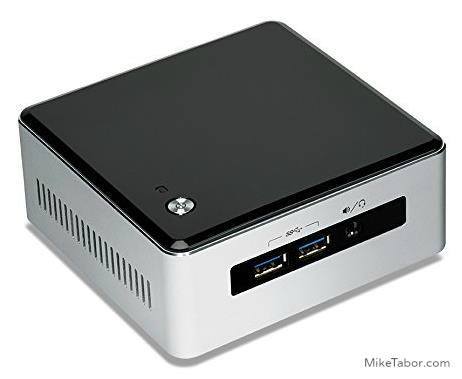
I’m a huge fan the of Intel NUC‘s for a VMware home lab. In fact I just recently picked up my third Intel NUC to give me more head room for a small VMware Horizon (View) environment at home.

I typically use G.Skill memory in my NUC’s as I’ve had great luck with the brand in my desktop and laptop for years. However G.Skill has been increasing in price which made me look around for alternatives and came across Crucial DDR3 204-pin memory for less money, but days after I purchased it they too went up in price. However they are now back on sale and cost about $50 less then the G.Skill memory I have been using in my first two NUC’s.

I’ve been using the Crucial memory now for the last several months without any problems and even though they are rated at a lower voltage I can’t say I really see any difference in power savings or consumption compared to the G.Skill 1.5V. If you’re looking to upgrade now might be a good time to take advantage of the sale price.
Similar Posts

  • Intel NUC i5 5th Generation an ESXi lab improvement

    Intel NUC BLKNUC5I5MYHE 5th gen

    For the past year and a half I’ve been using the Intel i5 3rd Gen NUC’s in my ESXi home lab with great success. In this time several people have asked if I recommend anything newer, and while Intel had a few 4th gen models I wasn’t really sold on them as most CPU benchmarks put them the same as my 3rd gen or lower and only added support for a 2.5″ drive which at the time I didn’t need but then Intel released news about several Intel NUC 5th generation models!

    Read More “Intel NUC i5 5th Generation an ESXi lab improvement”

  • Synology DSM 5.1-5021 update released

    Synology

    Synology released DSM 5.1-5021 update as well as Cloud Station 3.1-3320 today. This update includes all the updates since 5.1-5004 as well as fixes for a number of vulnerabilities in PHP, OpenVPN, and other security improvements. DSM 5.1-5004 also improves Amazon S3 backup stability along with a number of other fixes and improvements.

    Read More “Synology DSM 5.1-5021 update released”

  • Install Synology NFS VAAI Plug-in for VMware

    Synology

    In the recent DSM update (5.1), Synology added VMware VAAI support for NFS volumes using two primitives which are Full File Clone and Reserve Space. What do these VAAI primitives offer?

    • Full File Clone enables virtual disks to be cloned by the NAS albeit while the machine is powered off.
    • Reserve Space allows you can create a thick VMDK file. However Reserve Space does not off-load the work to the array. The benefit of thick VMDKs is that many use eager-zero for high I/O performance needs.

    On the Synology side of things you just need to update to DSM 5.1, but in order to take advantage of VAAI you still need to install the VIB plugin on your ESXi 5.5 hosts.

    Read More “Install Synology NFS VAAI Plug-in for VMware”

  • My VMware ESXi Home Lab Upgrade

    Although the focus in my career right now is certainly more cloud focused in Amazon Web Services and Azure, I still use my home lab a lot.

    For the last 5+ years my home lab had consisted of using 3x Intel NUC’s (i5 DC53427HYE), a Synology NAS for shared storage and an HP ProCurve switch. This setup served me well for most of those years. It has allowed me to get many of the certifications I have, progress in my career and have fun as well.

    At the start of this year I decided it was time to give the home lab an overhaul. At first I looked at the newest generation of Intel NUC’s but really wasn’t looking forward to dropping over $1,300 on just partial compute (I’d still need to be RAM for each of the 3 NUC’s). I also wanted something that just worked, no more fooling around with network adapter drivers or doing this tweak or that tweak.

    I also no longer needed to be concerned about something that had a tiny footprint. I also questioned if I really needed multiple physical ESXi hosts. My home lab isn’t running anything mission critical and if I really wanted I could always build additional nested VMware ESXi hosts on one powerful machine if I needed.

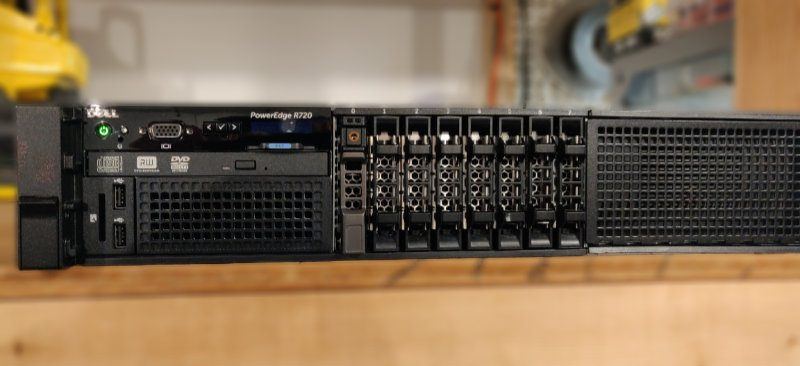
    So in the end, the below is what I settled on. Replacing all of my compute, most of my networking and adding more storage!

    Read More “My VMware ESXi Home Lab Upgrade”

  • Clone VMware ESXi USB boot drive to another USB flash drive

    A few days ago one of my hosts in my home lab was displaying an alarm message:

    Lost connectivity to the device

    Lost connectivity to the device mpx.vmhbaXX:XX:XX:XX backing the boot filesystem /vmfs/devices/disks/mpx.vmhbaXX:XX:XX:XX. As a result, host configuration changes will not be saved to persistent storage.

    The last part of the message (“persistent storage”) made me think it might have something to do with the USB drive due to the fact that a similar message appeared when setting up the home lab on the Intel NUC’s. After some research it appears my assumption was correct and that the USB flash drive I was using to boot from was indeed starting to fail.

    Read More “Clone VMware ESXi USB boot drive to another USB flash drive”

  • Secure your Synology NAS, install a SSL certificate

    I’ve been using the default setup on my Synology DS412+ with HTTPS enabled for a while now but knew it really wasn’t all that secure without a proper SSL certificate and creating a self-signed certificated isn’t all the much better and can be easily forged. I decided it was about time I used a “real” certificate to better secure the NAS.

    Prerequisites before starting

    • You need to own a domain name, for example MikeTabor.com and be able to receive email from the domain name.
      If you don’t already have a webhost for the domain, I’d suggest BlueHost.

    • You also need a DDNS service setup. In this case and for my use, I simply use the Synology DDNS service they offer for free.
    • With those two setup, you will also want to add a CNAME DNS forward from your domain (or subdomain if you wish to go that route) to your DDNS service.
    • Finally you’ll want to make sure Port Forwarding has been configured on your router.

    Read More “Secure your Synology NAS, install a SSL certificate”

Leave a Reply

Your email address will not be published. Required fields are marked *