VMware vCenter Server 5.5 Update 1b released
vCenter Server 5.5 Update 1b released

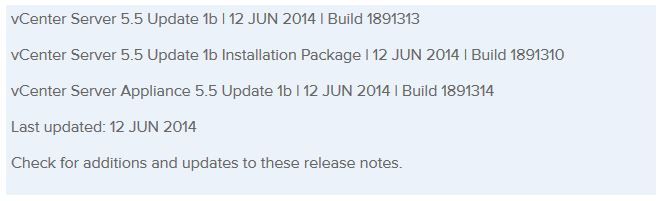
VMware released vCenter Server 5.5 Update 1b today. The release does not bring any new features but instead patches a few bugs and possible security issues such as the heartbleed fix and most recent OpenSSL as mentioned in CVE-2014-0224. vCenter 5.5 Update 1b now includes the OpenSSL library which has been updated to versions openssl-0.9.8za, openssl-1.0.0m, and openssl-1.0.1h.

Resolved Issues

Security

  • Update to OpenSSL library addresses security issues
    OpenSSL libraries have been updated to versions openssl-0.9.8za, openssl-1.0.0m, and openssl-1.0.1h to address CVE-2014-0224.

Server Configuration

  • Host profile answer file might not be applied when you reboot the ESXi host
    After you restart the vCenter services, if you use Auto Deploy to reboot a stateless ESXi host, the host profile answer file might not be applied to the ESXi host and the host configuration might fail. This issue occurs if the reference host is not available. This issue is resolved in this release.

Virtual SAN

  • Under certain conditions, Virtual SAN storage providers might not be created automatically after you enable Virtual SAN on a cluster
    When you enable Virtual SAN on a cluster, Virtual SAN might fail to automatically configure and register storage providers for the hosts in the cluster, even after you perform a resynchronization operation. This issue is resolved in this release. You can view the Virtual SAN storage providers after resynchronization. To resynchronize, click the synchronize icon in the Storage Providers tab.

Download vCenter 5.5 U1b bits here, and read the release notes here.

Similar Posts

  • VMware Workstation 12 Pro Released

    VMware has just released a new version of Workstation in VMware Workstation 12 Pro. Workstation 12 Pro provides full support for Windows 10, including features such as Cortana and universal applications. As well as even larger virtual machines with up to 16 vCPU’s and 64GB of memory. Workstation 12 Pro even supports 4K displays and DirectX 10 and OpenGL 3.3

    You can even seamlessly drag and drop virtual machines between your PC and your internal cloud running vSphere, ESXi or another instance of Workstation. In addition, easily connect to vCloud Air and upload, run, and view virtual machines right from the Workstation 12 Pro interface.

    Read More “VMware Workstation 12 Pro Released”

  • VMUG EVALExperience, the new VMware VMTN

    VMUG EVALExperience

    Long ago VMware offered a program called VMware Technology Network (VMTN) which was very similar to Microsoft’s TechNet, which allowed you to download and run various VMware software within your home lab for a small yearly fee. Just like the Microsoft TechNet, the VMware VMTN program was eventually closed. From the time the VMTN program closed many people have begged and pleaded with VMware to bring the program back, there is even a long forum thread asking VMware to bring VMTN back. Though it never did… until now.

    Read More “VMUG EVALExperience, the new VMware VMTN”

  • VMware’s Dual Persona smartphones now available at Verizon Wireless

    VMware Ready for Verizon

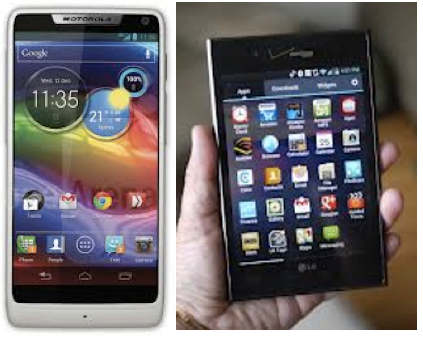
    VMware has announced that the Android running LG Intuition and Motorola Razr M can now both be purchased with VMWare Horizon Mobile software. The VMWare Horizon Mobile software separates the devices into isolated partitions that allow users to keep their work applications and data separate from their personal applications and data.

    Today, VMware and Verizon Wireless announced that the Android-based LG Intuition and Motorola Razr M can now be purchased with VMware’s Horizon Mobile software, which separates the device into isolated partitions that keep a user’s work applications and data separate from personal stuff. Licenses to Horizon Mobile start at $125 per user and can be purchased through local resellers of VMware and Verizon Wireless.

    Read More “VMware’s Dual Persona smartphones now available at Verizon Wireless”

  • How to upgrade vCenter server appliance

    Prior to VMware vCenter Server Appliance 6.x, upgrading or patching vCSA was as simple as a few button clicks in the appliance UI. Gone are those days, as VMware has replaced the appliance UI with a DCUI and the web based install wizard during setup.

    The good news is, upgrading or patching the vCSA 6.x is still pretty simple via the command line!

    Read More “How to upgrade vCenter server appliance”

  • VMware vSphere 5.5 Update 2 released

    vsphere 5.5 update2 released

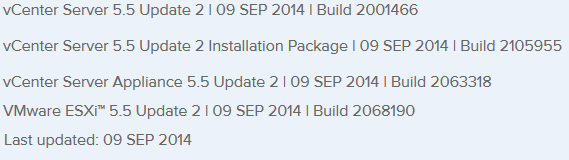
    VMware vCenter Server and ESXi 5.5 Update 2 has just been released today with a number of fixes and additional features such as vCenter Server database support for Oracle 12c, Microsoft SQL Server 2012 Service Pack 1, and Microsoft SQL Server 2014 in vCenter Server and support for ESXi hosts with 6TB of RAM in the ESXi 5.5 update 2 release!

    Read More “VMware vSphere 5.5 Update 2 released”

  • VMware View client now availabe for Android!

    VMware has announced that they have released a View Client for Android tablets available on the Android Market now. Here are just a few of the features found on the new client.

    • A new look and feel – The View Client for Android features the NEW blue look and feel of the VMware View clients!
    • Multiple broker support – If you have more than one VMware View broker in your organization, you can can easily access your desktop from all of them via the Android client
    • Desktop Shortcuts – Quickly connect with as many as four recent desktop via shortcuts
    • Virtual trackpad – Control your desktop on a granular level just like you would control the mouse on a laptop
    • Custom keyboard toolbar – Super easy access to all of the special keys not found on the Android default keynboard
    • Honeycomb 3.x support – Made from the ground up for the new generation of Android tablets
    • Custom gestures – Invoke keyboard, scrolling, etc are as easy as ever and simple to use
    • VMware View Security Server support (best experience) – No need to have VPN when you use VMware View Security Server
    • Background tasking – Switch between apps on your tablet and come right back

Leave a Reply

Your email address will not be published. Required fields are marked *